
The FIFA Game gives football fans an exciting way to enjoy virtual matches, international tournaments, and competitive football. In 2026, FIFA expanded its gaming portfolio with new titles, including FIFA World Cup: Launch Edition, FIFA Heroes, FIFA Rivals, and FIFA Super Soccer.
Whether you enjoy mobile football, multiplayer matches, or World Cup competitions, this guide covers the latest FIFA games, features, gameplay, updates, platforms, and useful tips for beginners.
What Is a FIFA Game?
A FIFA Game is a football video game experience associated with FIFA, the international governing body of football. Players can control teams, compete in matches, represent national sides, and enjoy different football challenges.
The FIFA gaming industry changed after FIFA and EA Sports ended their licensing partnership in 2023. EA continued its football simulation series under the name EA SPORTS FC, while FIFA started developing new gaming experiences through partnerships with different companies.
History of FIFA Video Games
The original FIFA International Soccer was released in 1993. The franchise became popular through improved graphics, realistic football mechanics, licensed teams, and online multiplayer features.
FIFA 23 was the final EA Sports release under the FIFA name. After that, EA continued its football gaming series as EA SPORTS FC.
Why Did FIFA and EA Sports Separate?
FIFA and EA Sports ended their long-term licensing partnership in 2023 following disagreements over licensing arrangements.
EA continued developing its established football simulation games, while FIFA explored new partnerships with gaming studios, streaming platforms, and digital entertainment companies.
Is the FIFA Game Still Available in 2026?
Yes. FIFA has several officially licensed gaming experiences available in 2026. These include FIFA World Cup: Launch Edition, FIFA Heroes, FIFA Rivals, and FIFA Super Soccer.
Each title offers a different experience, allowing players to choose between football simulation, arcade matches, mobile competition, and social gaming.
Latest FIFA Games Available in 2026
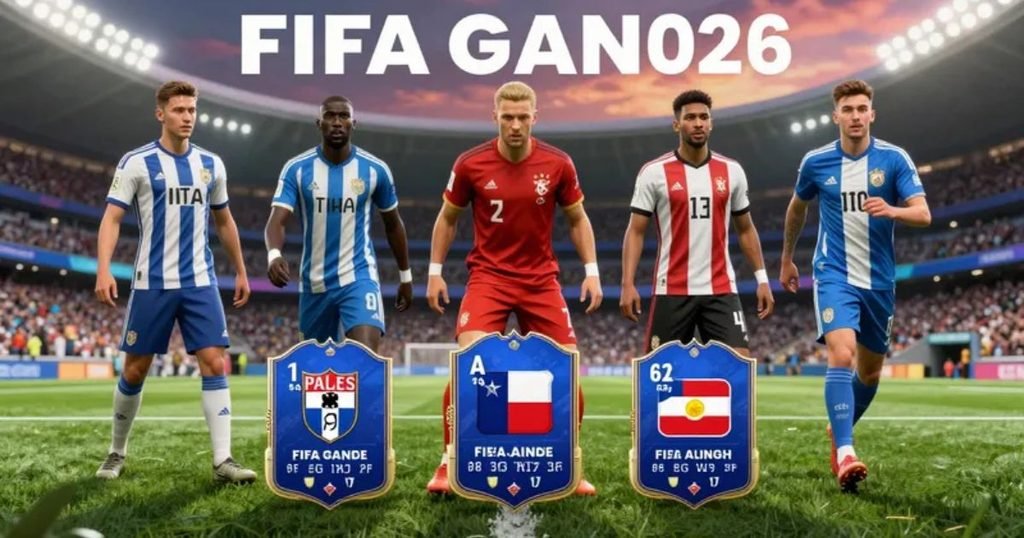
FIFA’s gaming portfolio now includes different types of football experiences instead of relying on one traditional annual release.
FIFA World Cup: Launch Edition
FIFA World Cup: Launch Edition is a football simulation developed by Delphi Interactive in partnership with FIFA and Netflix Games.
Released on June 11, 2026, it brings the World Cup experience to compatible televisions and computer browsers through Netflix.
The game features all 48 national teams from the 2026 tournament, 1,248 players, and 16 official tournament stadiums. Players can enjoy quick matches, tournament gameplay, and penalty shootouts.
One interesting feature is smartphone controller support. Players scan a QR code displayed on their television and use their phones to control passing and shooting.
The game also supports multiplayer sessions with up to four players.
FIFA Heroes
FIFA Heroes is a five-a-side arcade football game developed through FIFA’s partnership with Solace.
It combines football personalities, fictional characters, and official FIFA World Cup mascots. Players can create fantasy teams, use special abilities, and compete in fast-paced matches.
Unlike traditional football simulation games, FIFA Heroes focuses on arcade action and character-based gameplay.
The game launched globally on Android and iOS in June 2026.
FIFA Rivals
FIFA Rivals is a mobile football game developed by Mythical Games in partnership with FIFA.
It focuses on arcade-style matches, team building, player collectibles, and competitive online gameplay.
Players can collect football stars, develop their squads, and challenge other users. The game is available through Google Play Store and Apple App Store.
FIFA Super Soccer
FIFA Super Soccer is an officially licensed football experience available through Roblox, developed with Gamefam.
Players can select national teams and participating club teams, compete in multiplayer matches, complete football challenges, and unlock virtual rewards.
It connects football gaming with Roblox’s social environment and is available on supported computers, consoles, smartphones, and tablets.
One Future Football
One Future Football is another FIFA-licensed gaming experience available on mobile devices.
Players can create footballers, choose national teams, improve their player ratings, and compete in 11-versus-11 matches.
Its main focus is player development and international football progression.
FIFA Game Latest Features in 2026
The latest FIFA game features vary depending on the title. Some games focus on traditional football matches, while others offer faster arcade action and online competition.
Realistic Football Gameplay
FIFA World Cup: Launch Edition focuses on football simulation. Players can control national teams, pass the ball, create scoring opportunities, and compete in international matches.
FIFA Heroes and FIFA Rivals offer different gameplay mechanics, including special abilities, player progression, and arcade-style competition.
FIFA World Cup Experience
The 2026 World Cup gaming experience includes all 48 participating national teams and 16 official tournament stadiums in Launch Edition.
Players can recreate international matchups and enjoy the tournament format through virtual football.
Multiplayer FIFA Game Features
Multiplayer options allow friends and other players to compete together.
FIFA World Cup: Launch Edition supports up to four players. FIFA Rivals offers online player-versus-player matches, while FIFA Super Soccer provides multiplayer football through Roblox.
Smartphone Controller Support
One of the interesting features of FIFA World Cup: Launch Edition is its smartphone controller system.
Players launch the game on a supported television, scan a QR code, and use their phones to control the match. This makes it easier for friends and family to join without purchasing separate controllers.
Read Also: GTA 6 Release Date: When Is Grand Theft Auto VI Coming Out?
Online Gaming and FIFAe Competitions
FIFA’s gaming ecosystem also includes online competitions and esports activities.
FIFAe connects competitive gaming with national teams, players, and international tournaments. It provides opportunities for gamers who want to compete beyond casual matches.
FIFA Game Gameplay: How Does It Work?
The gameplay depends on the FIFA title you choose. Simulation games focus on football tactics and match control, while arcade games offer quicker actions and simpler mechanics.
Understanding FIFA Game Controls
Most football games include basic controls for player movement, passing, shooting, tackling, and defending.
Learning these controls before entering competitive matches helps you react faster and make better decisions during gameplay.
How to Start a FIFA Match
Choose your preferred FIFA game and open its main menu. Select an available match mode, choose your team, and review the controls.
Once the match begins, focus on passing, positioning, defending, and creating scoring opportunities.
FIFA Game Match Modes
FIFA World Cup: Launch Edition offers different ways to play, including Kick Off, Tournament, and Penalty Shootout.
Other FIFA titles provide arcade challenges, competitive matches, team-building activities, and player progression.
FIFA World Cup Tournament Gameplay
Tournament gameplay allows players to represent national teams and compete through the World Cup structure.
Players can experience group-stage matches, knockout rounds, and the final. This creates a more organized competition than playing individual friendly matches.
Playing FIFA Game With Friends
FIFA World Cup: Launch Edition supports up to four players through its television-based experience.
FIFA Rivals and FIFA Super Soccer provide additional multiplayer options for players who prefer online competition.
FIFA Game Updates and What’s New in 2026
FIFA continues to expand its gaming portfolio through new titles, seasonal activities, and gameplay improvements.
FIFA World Cup: Launch Edition Updates
Launch Edition represents the beginning of FIFA’s new football simulation strategy.
FIFA and Netflix have discussed introducing additional features and improvements over time. Players should check official announcements to confirm which updates have actually been released.
New FIFA Gaming Experiences
FIFA’s gaming portfolio now covers several types of football entertainment.
FIFA Heroes focuses on arcade football, FIFA Rivals provides mobile competition, and FIFA Super Soccer connects football with Roblox’s social gaming environment.
How to Check FIFA Game Updates
Players can find the latest information through the official FIFA gaming portal, Netflix Games, Google Play Store, Apple App Store, and individual game announcements.
Checking these sources helps players avoid outdated information and unofficial downloads.
How to Update FIFA Game
On Android, open Google Play Store, search for your installed game, and select Update when available.
On an iPhone or iPad, open the Apple App Store and check for available updates. Netflix and Roblox games follow their respective platform update systems.
How to Download and Play FIFA Game in the USA
American players can access different FIFA games through official platforms. The installation process depends on the selected title and device.
How to Play FIFA World Cup: Launch Edition on Netflix
Open Netflix on a compatible television and find FIFA World Cup: Launch Edition in the Games section.
Launch the game and scan the QR code using your smartphone. Your phone will connect as a controller, allowing you to start playing.
How to Download FIFA Games on Android
Open Google Play Store and search for the official game name, such as FIFA Heroes or FIFA Rivals.
Check the developer, device compatibility, age rating, and available permissions before installing.
How to Download FIFA Games on iPhone
Open Apple App Store and search for your preferred FIFA game.
Review the application details, supported devices, developer information, and in-app purchases before downloading.
How to Play FIFA Game on PC
FIFA World Cup: Launch Edition supports compatible computer browsers through Netflix.
FIFA Super Soccer is available through Roblox on supported computers. Other FIFA games have their own platform requirements, so check their official listings before installation.
Can You Play FIFA Game on Smart TV?
Yes. FIFA World Cup: Launch Edition supports compatible televisions through Netflix Games.
You can connect your smartphone by scanning the QR code displayed on the screen. A stable internet connection is required.
Is FIFA Game Free to Play in the USA?
Some FIFA games offer free access, while others require subscriptions or include optional purchases.
FIFA World Cup: Launch Edition is included with eligible Netflix memberships at no additional game charge. FIFA Rivals and FIFA Super Soccer offer free access, although optional purchases may apply.
Always check the official platform for current pricing and availability.
Best FIFA Game Tips and Tricks for Beginners
New players can improve their performance by learning basic football techniques and understanding match situations.
Learn the Controls Before Playing
Practice movement, passing, shooting, and defensive actions before entering competitive matches.
Understanding the controls helps you react faster and avoid unnecessary mistakes.
Improve Your Passing Accuracy
Avoid passing the ball without checking player positions.
Look for open teammates and use shorter passes when opponents put pressure on your team.
Master Shooting Techniques
Good shooting depends on timing and positioning.
Practice different shooting situations and learn when to shoot instead of attempting another pass.
Improve Your Defensive Skills
Maintain a balanced defensive position and avoid unnecessary tackles.
Watch attacking players and protect open spaces around your goal.
Understand Team Selection and Formation
Choose a team that matches your preferred playing style.
Balanced formations can help maintain defensive stability while creating attacking opportunities in games that support tactical selection.
Advanced FIFA Game Strategies to Improve Your Performance
Experienced players can improve their results by developing better attacking strategies and match awareness.
Build Better Attacking Strategies
Create passing opportunities by moving players into open spaces.
Avoid rushing toward the opponent’s goal when a better passing option is available. Good ball movement can create more scoring opportunities.
Develop Strong Defensive Strategies
Focus on positioning rather than constantly chasing the ball.
Maintain defensive balance and watch for spaces that opponents can use to create chances.
Improve Match Awareness
Observe how opponents approach attacking and defending.
Adjust your strategy when their playing style changes and avoid repeating predictable moves.
How to Win More FIFA Matches
Practice regularly and review your mistakes after each match.
Improve passing accuracy, defensive positioning, and shooting decisions instead of relying on one technique.
FIFA Game Platforms and Device Compatibility
Different FIFA games support different devices. Check the official requirements before downloading or subscribing.
| FIFA Game | Main Platforms | Gaming Experience |
| FIFA World Cup: Launch Edition | Supported TVs and computer browsers | Football simulation |
| FIFA Heroes | Android and iOS | Arcade football |
| FIFA Rivals | Android and iOS | Mobile football competition |
| FIFA Super Soccer | Roblox-supported devices | Multiplayer football |
| One Future Football | Android and iOS | 11-versus-11 football |
Availability may vary by country and device. Always check the official game listing for current compatibility information.
FIFA Game vs EA SPORTS FC: What Is the Difference?
FIFA and EA SPORTS FC are separate gaming products. Understanding this difference helps players choose the experience they actually want.
FIFA Game and EA SPORTS FC Are Different Products
FIFA develops its gaming portfolio through partnerships with different studios.
EA Sports continues its football simulation franchise under the EA SPORTS FC name. The two brands have different publishers, licensing arrangements, and gaming experiences.
Which Game Should You Choose?
Choose FIFA World Cup: Launch Edition if you want a World Cup-focused simulation experience.
FIFA Heroes suits players who enjoy arcade football, while FIFA Rivals offers mobile competition. FIFA Super Soccer is suitable for players who enjoy Roblox multiplayer experiences.
EA SPORTS FC is a separate option for fans who prefer EA’s established football simulation series.
Is EA SPORTS FC the Same as FIFA 2026?
No. EA SPORTS FC is the continuation of EA Sports’ former FIFA video game series under a new name.
FIFA’s newer gaming titles are developed through separate partnerships.
FIFA Game and the 2026 FIFA World Cup
The 2026 FIFA World Cup was hosted across the United States, Canada, and Mexico. It featured 48 national teams and 16 host stadiums.
The expanded tournament created a major football event across North America and connected fans through live matches and digital gaming experiences.
The 2026 FIFA World Cup Overview
The tournament introduced an expanded format featuring 48 teams.
The United States, Canada, and Mexico shared hosting responsibilities, bringing international football to cities across three countries.
FIFA World Cup 2026 Scores and Fixtures
Fans looking for match results, schedules, and tournament information can use FIFA’s official scores and fixtures page.
ESPN also provides soccer schedules, match details, and competition coverage. American readers should check local kickoff times because matches take place across different time zones.
Recreate World Cup Moments in FIFA Game
FIFA World Cup: Launch Edition allows players to represent national teams and recreate international football matchups.
FIFA Super Soccer also introduced World Cup-related content through Roblox, connecting the tournament with interactive football activities.
FIFA Gaming and Esports
FIFAe connects competitive gaming with the international football community.
Its esports competitions give players opportunities to demonstrate their skills through organized digital football events.
FIFA’s wider strategy also supports mobile gaming, online communities, and interactive football experiences.
Common FIFA Game Problems and How to Fix Them
Technical problems can interrupt gameplay, but many common issues can be addressed through basic troubleshooting.
FIFA Game Not Loading
Check your internet connection and confirm that the gaming platform is working correctly.
Restart the application or browser and check whether an update is available.
FIFA Game Controller Not Connecting
For Netflix’s FIFA World Cup game, make sure your smartphone and television follow the supported connection instructions.
Scan the QR code again if pairing fails. Also check that both devices meet the platform requirements.
FIFA Game Lagging or Freezing
Close unnecessary applications and check your internet connection.
Make sure your device and browser meet the game’s requirements. Updating the application can also resolve some performance issues.
FIFA Game Not Available in My Region
Availability can vary by country, platform, and subscription.
Check the official game listing to confirm whether the title is supported in your region. Avoid unofficial downloads that promise unlocked features.
Is a FIFA Game Safe and Worth Playing?
Downloading FIFA games through recognized platforms is the safest way to access their features.
Use Google Play Store, Apple App Store, Netflix, and Roblox rather than unknown websites offering modified applications. Check permissions, age ratings, account settings, and optional purchases before playing.
Parents should also review online interaction features and privacy settings before allowing younger players to participate.
FAQ’s
Is the FIFA Game Still Available in 2026?
Yes. FIFA offers several officially licensed gaming experiences, including FIFA World Cup: Launch Edition, FIFA Heroes, FIFA Rivals, and FIFA Super Soccer.
What Is the Latest FIFA Game in 2026?
FIFA World Cup: Launch Edition is FIFA’s World Cup-focused simulation game. Other titles include FIFA Heroes, FIFA Rivals, and FIFA Super Soccer.
Is FIFA World Cup: Launch Edition Free to Play?
The game is included with eligible Netflix memberships at no additional game charge. Players need an active qualifying Netflix membership to access it.
Can I Play FIFA Game on My Phone?
Yes. FIFA Heroes and FIFA Rivals are available on Android and iOS. A smartphone also works as a controller for FIFA World Cup: Launch Edition on supported televisions.
Can I Play FIFA Game on PC?
Yes. FIFA World Cup: Launch Edition supports compatible computer browsers through Netflix. FIFA Super Soccer is also available through Roblox on supported computers.
Is FIFA Game Available on PlayStation and Xbox?
Some FIFA gaming titles have announced console availability. However, support depends on the individual game’s release and regional store listing. Check the official platform before purchasing or downloading.
Can I Play FIFA Games With Friends?
Yes. FIFA World Cup: Launch Edition supports up to four players. FIFA Rivals and FIFA Super Soccer also offer multiplayer experiences.
Does FIFA Game Work Without an Internet Connection?
FIFA World Cup: Launch Edition requires an internet connection and does not offer offline play. Other titles have their own connectivity requirements.
How Can I Update a FIFA Game to the Latest Version?
Use Google Play Store or Apple App Store for mobile games. Netflix and Roblox experiences follow their respective platform update systems.
Which FIFA Game Is Best for Beginners?
FIFA World Cup: Launch Edition is suitable for players interested in accessible football simulation. FIFA Heroes is another option for people who prefer fast-paced arcade football.
Conclusion
The FIFA Game experience in 2026 offers several ways to enjoy digital football. FIFA World Cup: Launch Edition, FIFA Heroes, FIFA Rivals, and FIFA Super Soccer provide different experiences for football fans.
Choose a title based on your preferred gameplay, device, and interest in competitive or casual football. Always check official platforms for the latest updates, features, and availability.